Buy forumtrzeciegowieku.pl ?
We are moving the project
forumtrzeciegowieku.pl .
Are you interested in purchasing the domain
forumtrzeciegowieku.pl ?
domain@kv-gmbh.de · 0541-91531010
Buy forumtrzeciegowieku.pl ?
Which boot trees and boot bags are recommended?
For boot trees, cedar boot trees are highly recommended as they help maintain the shape of the boots and absorb moisture to prevent odors. As for boot bags, durable and breathable fabric boot bags are ideal for storing and protecting boots while allowing them to breathe and preventing dust buildup. Look for boot bags with handles for easy transportation and storage. **
Which boot order?
The boot order refers to the sequence in which a computer's hardware components are initialized during the startup process. The boot order typically starts with the computer's BIOS or UEFI firmware, which then proceeds to load the operating system from a specified storage device, such as a hard drive, SSD, or USB drive. The specific boot order can be configured in the computer's BIOS or UEFI settings, allowing the user to prioritize which storage device the computer should attempt to boot from first. This is useful for troubleshooting or for booting from alternative devices, such as a recovery USB drive. **

Similar search terms for Boot
Top-Angebote
Products related to Boot:
-
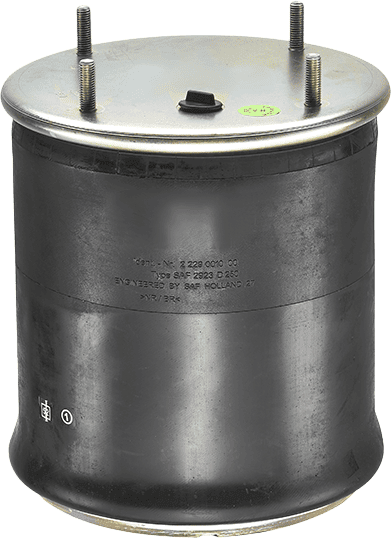
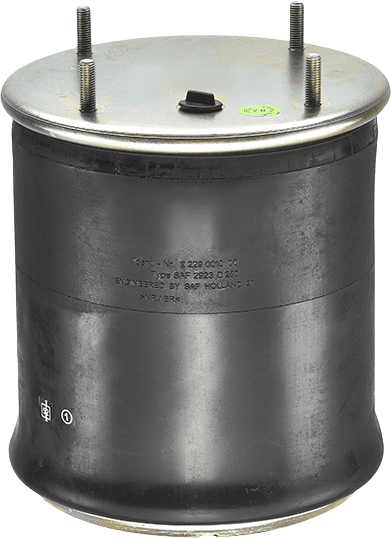
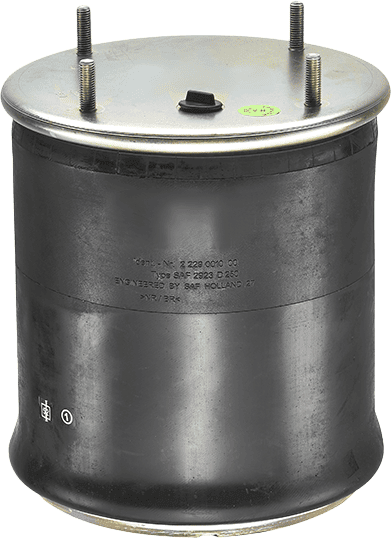
Magnum Technology 5002-03-0156P Boot, air suspensionFitting Position: Rear Axle both sides; Vehicle type: FA 95XF, FAR95XF, FAS95XF, FAT95XF, FAC95XF, FT 95, FT 95XF, FTG95XF, FTR95XF, FTS95XF, FTT95XF, FAD95XF, FA 85CF, FAG85CF, FAN85CF, FAR85CF, FAS85CF, FAC85CF, FT 85CF, FTG85CF, FA 75CF, FAG75CF, FAN75CF, FAS75CF, FAR75CF, FT 75CF, FA 65CF, FA LF45, FA LF55, FA XF95, FA 95480S, FT 95.380 S, FT XF95, FT 95380S, FT 95.430 S, FT 95430S, FT 95430X, FT 95480S, FT 95.480 S, FT 95530S, FA CF65, FA 2005, FA 20220, FA 2000, FA 20250, FA CF75, FA 75250Q, FASCF75, FARCF75, FAGCF75, FANCF75, FT CF75, FA 75310Q, FT 75310Q, FAS75310Q, FAN75310Q, FA 75360Q, FATCF75, FT 75360Q, FA CF85, FA 85380S, FA 85.430 S, FASCF85, FAR 85.340 S, FARCF85, FAR 85.380 S, FAR85380S, FAR 85.430 S, FAGCF85, FANCF85, FATCF85, FADCF85, FAD 85.430 S, FT CF85, FT 85340S, FT 85.380 S, FT 85380S, FT 85.430 S, FT 85430S, FT 85.480 S, FT 85480S, FTGCF85, FTTCF85, FTT 85.480 S, FT 05.460 T, FT XF105, FT 05460T S, FT 05460T X, FT 05.410 T, FT 05410T S, FT 05410T X, FT 05.510 T, FT 05510T S, FT 05510T X, FA 05.410 T, FA XF105, FA 05410T S, FA 05410T X, FA 05.460 T, FA 05460T S, FA 05460T X, FA 05.510 T, FA 05510T S, FA 05510T X, FAS 05.410 T, FASXF105, FAS05410T S, FAS05410T X, FAN 05.410 T, FANXF105, FANXF95, FAN05410T S, FAR 05.410 T, FAR 05.460 T, FARXF105, FAR05410T S, FAR05410T X, FAS 05.460 T, FAS05460T S, FAS05460T X, FAN 05.460 T, FAN05460T S, FAN05460T X, FAR05460T S, FAR05460T X, FAS 05.510 T, FAS05510T S, FAS05510T X, FAN 05.510 T, FAN05510T S, FAN05510T X, FAR 05.510 T, FAR05510T S, FAR05510T X, FA 55.220 G, FA 55.250 G, FA 85.360 T, FA 85360T, FAS 85.360 T, FAS85360T, FAR 85.360 T, FAR85360T, FAG 85.360 T, FAN 85.360 T, FAN85360T, FAT 85.360 T, FAC 85.360 T, FACCF85, FAC85360T, FAX 85.360 T, FAXCF85, FAX85360T, FT 85.360 T, FT 85360T, FTG 85.360 T, FTP 85.360 T, FTPCF85, FTS 85.360 T, FTSCF85, FTS85360T, FA 85.410 T, FA 85410T, FAG 85.410 T, FAG85410T, FAN 85.410 T, FAN85410T, FAS 85.410 T, FAS85410T, FAR 85.410 T, FAR85410T, FAT 85.410 T, FAT85410T, FAC 85.410 T, FAX 85.410 T, FAX85410T, FT 85.410 T, FT 85.460 T, FT 85410T, FTG 85.410 T, FTG85410T, FTP 85.410 T, FTP85410T, FTR 85.410 T, FTRCF85, FA 85.460 T, FAG85460T, FAN 85.460 T, FAN85460T, FAS 85.460 T, FAS85460T, FAR 85.460 T, FAR85460T, FAT 85.460 T, FAT85460T, FAC 85.460 T, FAC85460T, FAX 85.460 T, FAX85460T, FT 85460T, FTG 85.460 T, FTG85460T, FTP 85.460 T, FTP85460T, FTR 85.460 T, FTR85460T, FTT 85.460 T, FTT85460T, FAN 85.510 T, FAS 85.510 T, FAR 85.510 T, FAT 85.510 T, FAX 85.510 T, FT 85.510 T, FT 85510T, FTG 85.510 T, FTG85510T, FTP 85.510 T, FTP85510T, FTR 85.510 T, FTT 85.510 T, FTT85510T, FADXF105, FAD 05.460 T, FAD 05.510 T, FTG 05.410 T, FTGXF105, FTG05410T S, FTG05410T X, FTS 05.410 T, FTSXF105, FTS05410T S, FTR 05.410 T, FTRXF105, FTG 05.460 T, FTG05460T S, FTG05460T X, FTS 05.460 T, FTS05460T S, FTS05460T X, FTR 05.460 T, FTR05460T, FTR05460T S, FTR05460T X, FTG 05.510 T, FTGXF95, FTG05510T S, FTG05510T X, FTS 05.510 T, FTS05510T S,...41,49 £*Shipping: 8,45 £Secure redirect to the provider


-
Can't you boot?
Yes, I can boot. I am a virtual assistant and I am designed to start up and operate when activated. I am here to assist you with any questions or tasks you may have. How can I help you today? **
-
How do I remove boot devices from the boot menu?
To remove boot devices from the boot menu, you can access the BIOS or UEFI settings of your computer. Restart your computer and press the designated key (often F2, F10, or Del) to enter the BIOS/UEFI settings. Look for the Boot menu and you should see a list of boot devices. From there, you can select and remove any unwanted boot devices from the list. Save your changes and exit the BIOS/UEFI settings to apply the changes. **
-
How can you change the boot screen or boot logo?
To change the boot screen or boot logo on a computer, you typically need to access the BIOS or UEFI settings. Once in the BIOS or UEFI settings, look for an option related to changing the boot logo or boot screen. This option may be located in the "Boot" or "Advanced" section of the settings. Follow the on-screen instructions to upload a new image file for the boot logo or screen. Keep in mind that not all computers may have the option to change the boot logo or screen, as it depends on the manufacturer and model. **
-
How can one change the boot screen or boot logo?
To change the boot screen or boot logo on a computer, you typically need to access the BIOS or UEFI settings during startup. This can usually be done by pressing a specific key (such as F2, F10, or Del) as the computer boots up. Once in the BIOS or UEFI settings, look for an option related to boot settings or boot logo and follow the instructions to upload a new image file for the boot screen. Keep in mind that not all computers may have the option to change the boot screen or logo, as it depends on the manufacturer and model. **

Can the PC not boot from a Windows boot stick?
Yes, a PC can fail to boot from a Windows boot stick for a variety of reasons. Some common reasons include a corrupted or improperly created boot stick, a malfunctioning USB port, or a BIOS setting that needs to be adjusted to allow booting from a USB device. Troubleshooting steps may include recreating the boot stick, trying a different USB port, or accessing the BIOS settings to enable USB booting. If these steps do not resolve the issue, it may be necessary to seek further technical assistance. **
Is Kon-Boot free?
No, Kon-Boot is not free. It is a paid software tool that allows users to bypass Windows and Mac login passwords. There is a free trial version available for users to test the software, but to access the full functionality, users will need to purchase a license. **
Top-Angebote
Products related to Boot:
-
Hay House Uk One Spirit Medicine Ancient Ways To Ultimate Wellness Holistic Health And Wellness PaperbackTitle:. One Spirit Medicine: Ancient Ways to Ultimate Wellness Format: Paperback Overview:. Discover a transformative path to holistic harmony with *One Spirit Medicine: Ancient Ways to Ultimate Wellness*, a profound paperback guide by author Rudhy Gentis that bridges timeless indigenous wisdom with contemporary needs. This essential read delves into the rich tapestry of Native American traditions, offering readers deep insights into the spiritual, physical, and mental dimensions of true health. Gentis explores how ancient ceremonies, rituals, and connections to nature serve as foundational pillars for achieving ultimate wellness in today's fast-paced world. Moving beyond simple dietary advice or temporary fixes, the book presents a unified approach where mind, body, and spirit work in concert. You will encounter teachings on harnessing inner strength, respecting the earth, and aligning with natural rhythms to restore balance. Whether you are seeking solace from modern stressors or wishing to deepen your understanding of shamanic practices, this work serves as a compass toward a more enriched life. The pages unfold practical perspectives on healing through community, meditation, and reverence for the sacred elements, making it a vital resource for anyone dedicated to living authentically and cultivating lasting peace. This volume stands as a testament to the enduring power of ancestral knowledge, inviting you to embrace a lifestyle where every breath honors the interconnected web of life. What Makes This Book Stand Out:. What distinguishes *One Spirit Medicine* is its ability to translate complex spiritual concepts into accessible, actionable guidance without losing the sanctity of the source material. Unlike generic wellness manuals that treat health in isolation, this book insists on the inextricable link between emotional resilience, environmental stewardship, and spiritual awakening. Gentis draws upon personal journeys and observed transformations to illustrate how ancient practices can revitalize modern routines. Readers will find a refreshing honesty in the exploration of challenges faced along the path of healing, acknowledging that true wellness requires vulnerability and consistent effort. The narrative weaves together themes of forgiveness, gratitude, and the restoration of relationships with oneself and others, presenting a roadmap for overcoming the fragmentation caused by contemporary society. Furthermore, the use of metaphor and storytelling enhances the learning experience, ensuring that lessons resonate deeply rather than remaining as abstract theories. This emphasis on experiential understanding over dogma makes the text a companion for ongoing growth, capable of revealing new layers of meaning each time it is revisited. It empowers individuals to take ownership of their well-being by drawing on universal forces available within and around them. Who This Book Is Perfect For:. This book is perfectly suited for individuals embarked...12,99 £*Shipping: 2,99 £Secure redirect to the provider
-
Which boot trees and boot bags are recommended?
For boot trees, cedar boot trees are highly recommended as they help maintain the shape of the boots and absorb moisture to prevent odors. As for boot bags, durable and breathable fabric boot bags are ideal for storing and protecting boots while allowing them to breathe and preventing dust buildup. Look for boot bags with handles for easy transportation and storage. **
-
Which boot order?
The boot order refers to the sequence in which a computer's hardware components are initialized during the startup process. The boot order typically starts with the computer's BIOS or UEFI firmware, which then proceeds to load the operating system from a specified storage device, such as a hard drive, SSD, or USB drive. The specific boot order can be configured in the computer's BIOS or UEFI settings, allowing the user to prioritize which storage device the computer should attempt to boot from first. This is useful for troubleshooting or for booting from alternative devices, such as a recovery USB drive. **
-
Can't you boot?
Yes, I can boot. I am a virtual assistant and I am designed to start up and operate when activated. I am here to assist you with any questions or tasks you may have. How can I help you today? **
-
How do I remove boot devices from the boot menu?
To remove boot devices from the boot menu, you can access the BIOS or UEFI settings of your computer. Restart your computer and press the designated key (often F2, F10, or Del) to enter the BIOS/UEFI settings. Look for the Boot menu and you should see a list of boot devices. From there, you can select and remove any unwanted boot devices from the list. Save your changes and exit the BIOS/UEFI settings to apply the changes. **
Similar search terms for Boot
-
Magnum Technology 5002-03-0156P Boot, air suspensionFitting Position: Rear Axle both sides; Vehicle type: FA 95XF, FAR95XF, FAS95XF, FAT95XF, FAC95XF, FT 95, FT 95XF, FTG95XF, FTR95XF, FTS95XF, FTT95XF, FAD95XF, FA 85CF, FAG85CF, FAN85CF, FAR85CF, FAS85CF, FAC85CF, FT 85CF, FTG85CF, FA 75CF, FAG75CF, FAN75CF, FAS75CF, FAR75CF, FT 75CF, FA 65CF, FA LF45, FA LF55, FA XF95, FA 95480S, FT 95.380 S, FT XF95, FT 95380S, FT 95.430 S, FT 95430S, FT 95430X, FT 95480S, FT 95.480 S, FT 95530S, FA CF65, FA 2005, FA 20220, FA 2000, FA 20250, FA CF75, FA 75250Q, FASCF75, FARCF75, FAGCF75, FANCF75, FT CF75, FA 75310Q, FT 75310Q, FAS75310Q, FAN75310Q, FA 75360Q, FATCF75, FT 75360Q, FA CF85, FA 85380S, FA 85.430 S, FASCF85, FAR 85.340 S, FARCF85, FAR 85.380 S, FAR85380S, FAR 85.430 S, FAGCF85, FANCF85, FATCF85, FADCF85, FAD 85.430 S, FT CF85, FT 85340S, FT 85.380 S, FT 85380S, FT 85.430 S, FT 85430S, FT 85.480 S, FT 85480S, FTGCF85, FTTCF85, FTT 85.480 S, FT 05.460 T, FT XF105, FT 05460T S, FT 05460T X, FT 05.410 T, FT 05410T S, FT 05410T X, FT 05.510 T, FT 05510T S, FT 05510T X, FA 05.410 T, FA XF105, FA 05410T S, FA 05410T X, FA 05.460 T, FA 05460T S, FA 05460T X, FA 05.510 T, FA 05510T S, FA 05510T X, FAS 05.410 T, FASXF105, FAS05410T S, FAS05410T X, FAN 05.410 T, FANXF105, FANXF95, FAN05410T S, FAR 05.410 T, FAR 05.460 T, FARXF105, FAR05410T S, FAR05410T X, FAS 05.460 T, FAS05460T S, FAS05460T X, FAN 05.460 T, FAN05460T S, FAN05460T X, FAR05460T S, FAR05460T X, FAS 05.510 T, FAS05510T S, FAS05510T X, FAN 05.510 T, FAN05510T S, FAN05510T X, FAR 05.510 T, FAR05510T S, FAR05510T X, FA 55.220 G, FA 55.250 G, FA 85.360 T, FA 85360T, FAS 85.360 T, FAS85360T, FAR 85.360 T, FAR85360T, FAG 85.360 T, FAN 85.360 T, FAN85360T, FAT 85.360 T, FAC 85.360 T, FACCF85, FAC85360T, FAX 85.360 T, FAXCF85, FAX85360T, FT 85.360 T, FT 85360T, FTG 85.360 T, FTP 85.360 T, FTPCF85, FTS 85.360 T, FTSCF85, FTS85360T, FA 85.410 T, FA 85410T, FAG 85.410 T, FAG85410T, FAN 85.410 T, FAN85410T, FAS 85.410 T, FAS85410T, FAR 85.410 T, FAR85410T, FAT 85.410 T, FAT85410T, FAC 85.410 T, FAX 85.410 T, FAX85410T, FT 85.410 T, FT 85.460 T, FT 85410T, FTG 85.410 T, FTG85410T, FTP 85.410 T, FTP85410T, FTR 85.410 T, FTRCF85, FA 85.460 T, FAG85460T, FAN 85.460 T, FAN85460T, FAS 85.460 T, FAS85460T, FAR 85.460 T, FAR85460T, FAT 85.460 T, FAT85460T, FAC 85.460 T, FAC85460T, FAX 85.460 T, FAX85460T, FT 85460T, FTG 85.460 T, FTG85460T, FTP 85.460 T, FTP85460T, FTR 85.460 T, FTR85460T, FTT 85.460 T, FTT85460T, FAN 85.510 T, FAS 85.510 T, FAR 85.510 T, FAT 85.510 T, FAX 85.510 T, FT 85.510 T, FT 85510T, FTG 85.510 T, FTG85510T, FTP 85.510 T, FTP85510T, FTR 85.510 T, FTT 85.510 T, FTT85510T, FADXF105, FAD 05.460 T, FAD 05.510 T, FTG 05.410 T, FTGXF105, FTG05410T S, FTG05410T X, FTS 05.410 T, FTSXF105, FTS05410T S, FTR 05.410 T, FTRXF105, FTG 05.460 T, FTG05460T S, FTG05460T X, FTS 05.460 T, FTS05460T S, FTS05460T X, FTR 05.460 T, FTR05460T, FTR05460T S, FTR05460T X, FTG 05.510 T, FTGXF95, FTG05510T S, FTG05510T X, FTS 05.510 T, FTS05510T S,...41,49 £*Shipping: 8,45 £Secure redirect to the provider
-
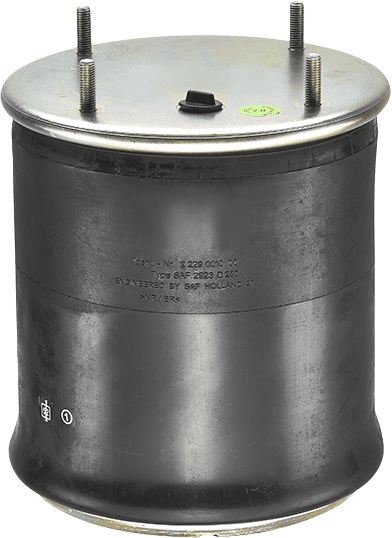
Magnum Technology 5002-03-0177P Boot, air suspensionThickness: 600; Outer Diameter [mm]: 236,5; Number of connectors: 2; Fitting Position: Rear Axle both sides; Vehicle Equipment Line/Trim Level: SA 508301 01/02, SA 508301 02, SA 39109 01/02/03, 04/13/14, SA 39169 02, SA 39109, 01/02/03/04/13/14, SA W0047A 01/02, SA 531759 01/03, SA 508301 01/02, SA 531759 0366,49 £*Shipping: 8,45 £Secure redirect to the provider
-
How can you change the boot screen or boot logo?
To change the boot screen or boot logo on a computer, you typically need to access the BIOS or UEFI settings. Once in the BIOS or UEFI settings, look for an option related to changing the boot logo or boot screen. This option may be located in the "Boot" or "Advanced" section of the settings. Follow the on-screen instructions to upload a new image file for the boot logo or screen. Keep in mind that not all computers may have the option to change the boot logo or screen, as it depends on the manufacturer and model. **
-
How can one change the boot screen or boot logo?
To change the boot screen or boot logo on a computer, you typically need to access the BIOS or UEFI settings during startup. This can usually be done by pressing a specific key (such as F2, F10, or Del) as the computer boots up. Once in the BIOS or UEFI settings, look for an option related to boot settings or boot logo and follow the instructions to upload a new image file for the boot screen. Keep in mind that not all computers may have the option to change the boot screen or logo, as it depends on the manufacturer and model. **
-
Can the PC not boot from a Windows boot stick?
Yes, a PC can fail to boot from a Windows boot stick for a variety of reasons. Some common reasons include a corrupted or improperly created boot stick, a malfunctioning USB port, or a BIOS setting that needs to be adjusted to allow booting from a USB device. Troubleshooting steps may include recreating the boot stick, trying a different USB port, or accessing the BIOS settings to enable USB booting. If these steps do not resolve the issue, it may be necessary to seek further technical assistance. **
-
Is Kon-Boot free?
No, Kon-Boot is not free. It is a paid software tool that allows users to bypass Windows and Mac login passwords. There is a free trial version available for users to test the software, but to access the full functionality, users will need to purchase a license. **
* All prices are inclusive of VAT and, if applicable, plus shipping costs. The offer information is based on the details provided by the respective shop and is updated through automated processes. Real-time updates do not occur, so deviations can occur in individual cases. ** Note: Parts of this content were created by AI.